


Select Vehicle
BMW
Mini
Please ensure your correct model is selected

MSRP stands for Manufacturer's Suggested Retail Price. This is the suggested retail price provided by the manufacturer, supplier or seller.
MSRP stands for Manufacturer's Suggested Retail Price. This is the suggested retail price provided by the manufacturer, supplier or seller.

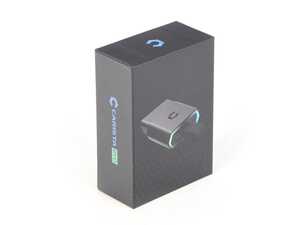
Stop settling for basic OBD2 scanners. The Carista EVO Scanner is a game-changer, delivering unmatched customization, diagnostics, real-time insights, and service capabilities.
If you own a BMW or MINI, Carista EVO is the key to unlocking your vehicle's full potential.
Key Features:
THE ALL-IN-ONE CAR TOOL
1.) Advanced Diagnostics:
Perform dealer-level electronic diagnostics (fault code checking and resetting) of all modules in the vehicle, including ABS, airbag, and other manufacturer-specific systems.
2.) Customizations - including the SFD-protected ones:
Control your car's behavior: unlock hidden features, including SFD-protected ones, and tailor your car to your preferences.
3.) Live Data:
Stay informed about your car's health and performance with live data readings.
4.) Service Tools:
Perform simple DIY procedures: Save on routine maintenance and avoid lengthy workshop visits.
All paid features mentioned above are available with an in-app purchase of our Pro functionality: an auto-renewable subscription at $49.99 USD/year or $19.99 USD/3 months or $9.99 USD/month.
Free Basic OBD2 Diagnostics, Basic OBD2 Live Data, and Emissions Test Service Tool for all cars with OBD port.
*Note:
In addition to makers listed on our website, this product is compatible with most Toyota, Lexus, Scion, Nissan, Land Rover, Lincoln, Infiniti, Seat, and Skoda models. Please visit here for more details and complete feature compatibility.


This product was last offered at the strikethrough price on
11-07-2026
This product was last offered at the strikethrough price on
11-07-2026
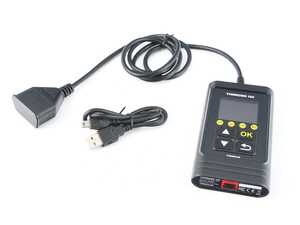
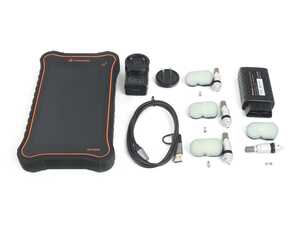
The Foxwell TS7000 Tablet Diagnostic and TPMS Service Tool is designed to elevate your TPMS diagnostics experience to a professional level. This versatile tool serves as your second or third step into TPMS diagnostics, offering a comprehensive range of features for both TPMS and high-level diagnostic functions.
At its core, the Foxwell TS7000 enables you to activate OEM/Universal TPMS sensors, retrieve detailed TPMS sensor data (including sensor ID, tire pressure, temperature, battery condition, and OE part number), relearn 98% of sensor IDs, program FOXWELL T10-sensor for sensor replacement, and test Remote Keyless Entry Key Fobs.
But that's not all. This tool goes beyond TPMS with advanced diagnostic capabilities such as ABS Bleeding, EVAP system testing, Oil Resets, Fuel Pressure Testing, Oxygen Sensor Testing, and comprehensive Code Reading functionality. With regular hardware and software updates, the Foxwell TS7000 ensures that you stay ahead in tackling automotive issues with precision and efficiency.
Standout Features (How does it standout from previous models, i.e. the T1000/T2000?):
More Features:
Programming:
With this TPMS programming tool, you can program FOXWELL T10 TPMS sensors (T2317833 or T2317834 ) to meet the specifications of a particular vehicle before new sensor installation and relearn. 4 different sensor programming methods are supported by the FOXWELL TS5000 TPMS Service Tool: Copy by Activation; Manual Create; Automatic Create. (Note: TS5000 will only program a replacement sensor if it is a FOXWELL T10 sensor, which can be easily found on our site.)
Relearning:
The FOXWELL TS5000 TPMS Service Tool can be used as a professional TPMS relearn scanner, to relearn almost all known sensor IDs, which is compatible with 95% of vehicles equipped with TPMS and extremely popular among car repair ships and DIY car owners. To ensure compatibility with different vehicles, 3 types of TPMS sensor relearning are offered:
Please note that some vehicles require a combination of these relearning methods, such as needing to drive for a designated amount of time after relearning using OBD. There may also be extra steps your manufacturer uses, so please research your specific vehicle when performing a relearn!
Note:
Support:
For software and hardware support from Foxwell the address is http://www.foxwelltech.com/support/ - Make sure you use the correct address
For after sales issues please contact Nina at [email protected]. Please allow 48 hours for response.